

System Requirements
Click here for system requirements and guidance on selecting a suitable laptop or desktop PC for optimal PYTHA performance.
You can walk around the scene and explore different views.

Present All Options
PYTHA allows you to present all design options at the click of a button – colours, materials and constructions can be changed at any time.
Impress Your Clients
Show off the full functionality of your design – with animations, opening drawers and interactive walk-throughs.
FAQ
Is rental an option for PYTHA 3D CAD?
PYTHA has many payment options including purchase, leasing or monthly rental.
Can PYTHA operate on a tablet PC?
PYTHA is fully functional on all tablet PCs with excellent performance.
How many training days do I need to learn PYTHA?
For beginners we recommend a 3-day training course. You will be productive with PYTHA after the introductory training.
Help! I have no CAD experience!
No experience is required to take your first steps with PYTHA 3D CAD.
Can PYTHA be used on multiple computers?
You can install PYTHA on multiple computers. Simply plug the dongle into the desired PC.
Do I have to buy a second license if I want to use PYTHA at home?
No, just take your PYTHA dongle home and plug it into your home PC.
What literature is available?
PYTHA comes with a complete user and training manual. These manuals can be displayed any time on your screen. There is also a short description for all modelling functions accessible via a right-click.
Can we create our own libraries with PYTHA?
Yes, you can create your own library elements (including parametric ones) and drag and drop them into any scene.
Can PYTHA import data from other CAD systems?
Yes, PYTHA provides interfaces to import and export multiple common formats.
Can we switch the language in our PYTHA system?
Your PYTHA license includes various language options.
Do I need additional software to run PYTHA?
No, PYTHA is a standalone 3D CAD system that runs independently.
Which graphics cards does PYTHA support?
PYTHA supports virtually all modern graphics cards – NVIDIA and AMD alike. See the system requirements above for our recommended configuration.
Does PYTHA run on Apple computers?
Yes – PYTHA runs on Windows, which you can operate on a Mac in a virtual machine (e.g. Parallels Desktop, including Apple Silicon Macs). On older Intel Macs, a native Windows installation via Boot Camp is also possible.
Where does the name PYTHA come from?
The name PYTHA is inspired by the Greek mathematician Pythagoras. His famous formula a²+b²=c² is the foundation for many geometric calculations. The PYTHA logo is a graphical representation of this formula.
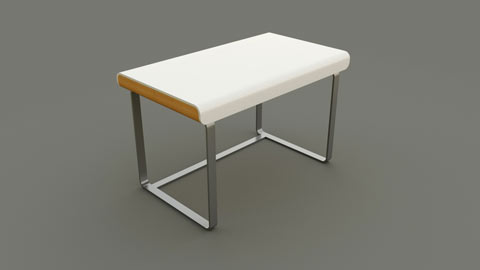
Are all pictures on your website rendered with PYTHA?
Of course! PYTHA Lab is proud to showcase the quality and versatility of PYTHA 3D CAD.